Template:Ytv-table-row/doc
Documentation
This template generates HTML-style table code for one row of a table of YouTube videos. It should only be used between calls to {{ytv-table-top}} and {{ytv-table-bottom}} (or, if you're just illustrating the template's output in a discussion, between <table> and </table>).
Usage
Typical cases (one song, multiple songs, no songs):
{{ytv-table-row|date= |v= |title= |length= |song= |recorded= |age= |venue= |with= |note=}}{{ytv-table-row|date= |v= |title= |length= |song1= | … |song9= |recorded= |age= |venue= |with= |note=}}{{ytv-table-row|date= |v= |title= |length= |description= |recorded= |age= |venue= |with= |note=}}
Same cases with extra optional parameters:
{{ytv-table-row|date= |datetime= |v= |title= |title-gloss= |nothumb= |local= |length= |song= |song-anchor= |song-text= |song-note= |recorded= |age= |venue= |with= |note=}}{{ytv-table-row|date= |datetime= |v= |title= |title-gloss= |nothumb= |local= |length= |song1= | … |song9= |song1-anchor= | … |song9-anchor= |song1-text= | … |song9-text= |song1-note= | … |song9-note= |recorded= |age= |venue= |with= |note=}}{{ytv-table-row|date= |datetime= |v= |title= |title-gloss= |nothumb= |local= |length= |description= |recorded= |age= |venue= |with= |note=}}
The example below should be sufficient to understand how the most of the "typical" parameters work. But some important caveats are given here.
As currently implemented, description is only used if there is no song or song1, but this might change in the future. If the video contains one or more songs (that Angelina performs) and you also need to describe what's going on in the video, put that description in note.
The value of song should match the title of our article for the song (or a redirect to it). For example, if she sings the jazz standard "All of Me" in the video, then song=All of Me (jazz standard), not just song=All of Me (because All of Me (John Legend song) also exists). Since this will show the link "All of Me (jazz standard)", which is awkward because "(jazz standard)" is not actually part of the song's title but only an explanatory note, you can add the parameters song-text=All of Me and song-note=jazz standard to create the link "All of Me" (jazz standard).
Note that all of the parameters song, song-anchor, and song-text (and their numbered versions) should be free of any wiki markup (i.e., links, bold, italics, etc.), because they are used by the template to form links. But song-note (and its numbered versions) can contain markup, if that is desired.
Description of optional parameters:
datetimecan be used to provide an exact upload time (e.g.,2016-04-23T11:35:34-07:00) as a "tooltip" on the shorter upload date specified indate(orupload)title-glosscan be used to translate non-English (portions of) video titles into Englishnothumb=ycan be used to suppress the visible video thumbnail, in case that image has not yet been uploaded to the wiki (or perhaps never will be, as in the case of videos that disappeared before their thumbnails could be uploaded)local=ycan be used to provide a link to our article about the video, if one exists (note: the way this is implemented is very likely to change "soon"); this is not necessary for most videos, since the default link to our article(s) for the song(s) should suffice; but in cases where there are no songs, or there is some specific reason to discuss the video itself apart from the song performance(s) it contains, this parameter can be usedsong-anchor(orsong1-anchor, etc.) can be used to specify a section (or other anchor target) within the song article; this allows for linking to the specific part of the article that discusses the particular performance shown in the videosong-text(orsong1-text, etc.) can be used to specify a different song title to display (because the value ofsongis used as the target of the song-article link)song-note(orsong1-note, etc.) can be used to show a short parenthetical note about the song or the way Angelina performs it (for example, if it is a partial/abbreviated version of the song), as shown in the example below; more extensive notes about the song or its performance should be placed innote
The optional parameters song-anchor, song-text, and song-note are only used if song is specified (same for the numbered versions of the parameters — i.e., song1-anchor, etc., are only used in the presence of song1, etc.).
Parameter aliases:
reccan used instead ofrecordeddesccan be used instead ofdescriptionuploadedcan be used instead ofdate- any of
event,where,location, orloccan be used instead ofvenue(note: the way these different parameter names are handled might change in the future) notescan be used instead ofnote
Examples
{{ytv-table-top}}
{{ytv-table-row
 |date=2016-04-23 |datetime=2016-04-23T11:35:34-07:00 |v=LbXUKzOxACU |length=4:09
 |title=Angelina Jordan "Back to Black" Cover, with KORK, improvised lyric.
 |song=Back to Black |song-anchor=Music video |song-note=rewritten lyrics
 |rec=2016-04-22? |age=10
 |venue=[[Store Studio]] |with=[[KORK]]
 |note=music video; also posted to [[NRK]]'s YouTube channel
}}
{{ytv-table-bottom}}
⇓
| Uploaded | Video | Len | Songs performed (or description) |
Recorded | Age | Venue/Event | With | Notes |
|---|---|---|---|---|---|---|---|---|
| 2016-04-23 | 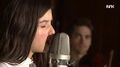 |
4:09 |
"Back to Black" (rewritten lyrics) |
2016-04-22? | 10 | Store Studio | KORK | music video; also posted to NRK's YouTube channel |
Note: {{ytv-table-top}} and {{ytv-table-bottom}} are used in this example just to show the column labels under which the table cells will appear (unless the column labels are changed in the {{ytv-table-top}} call — see that template for details). {{ytv-table-top}} and {{ytv-table-bottom}} should, of course, appear only once per table, not before and after every row of a multiple-row table!
See also
{{ytv-table-top}}{{ytv-table-bottom}}

